
- Home
- Product
Everything in PokerForge, shown as it is.
Every part of the current release, 1.0.0-beta.10, with real screens. Read it area by area, or step through the screens in the product tour.
 PokerForge
1Track
See what actually happened.
Results you can read at a glance, split the ways that matter, for any period, stake or site.
Dashboard
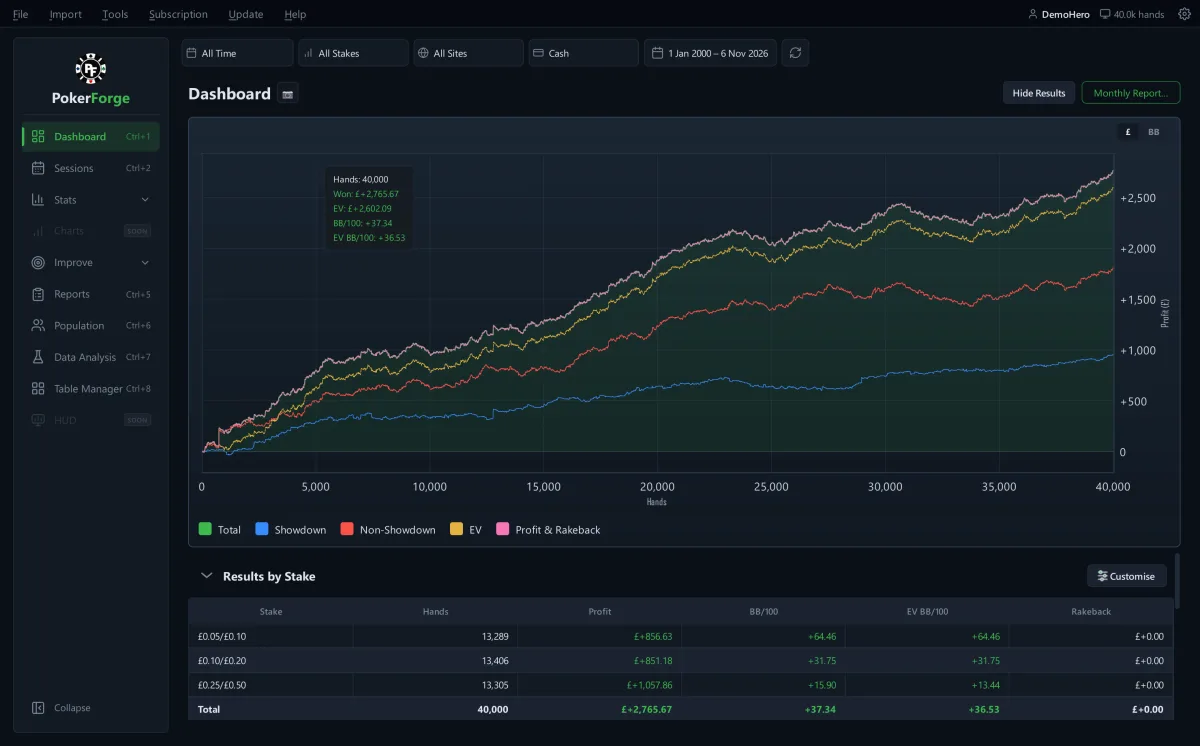
Your results, as lines you can read
Total winnings, showdown and non-showdown, all-in EV and profit with rakeback on one graph, with results by stake underneath.
- Switch between money and big blinds
- Choose the Results by Stake columns
- Hide Results hides your figures with one switch when you share your screen
- A Monthly Report summary
Sessions › History
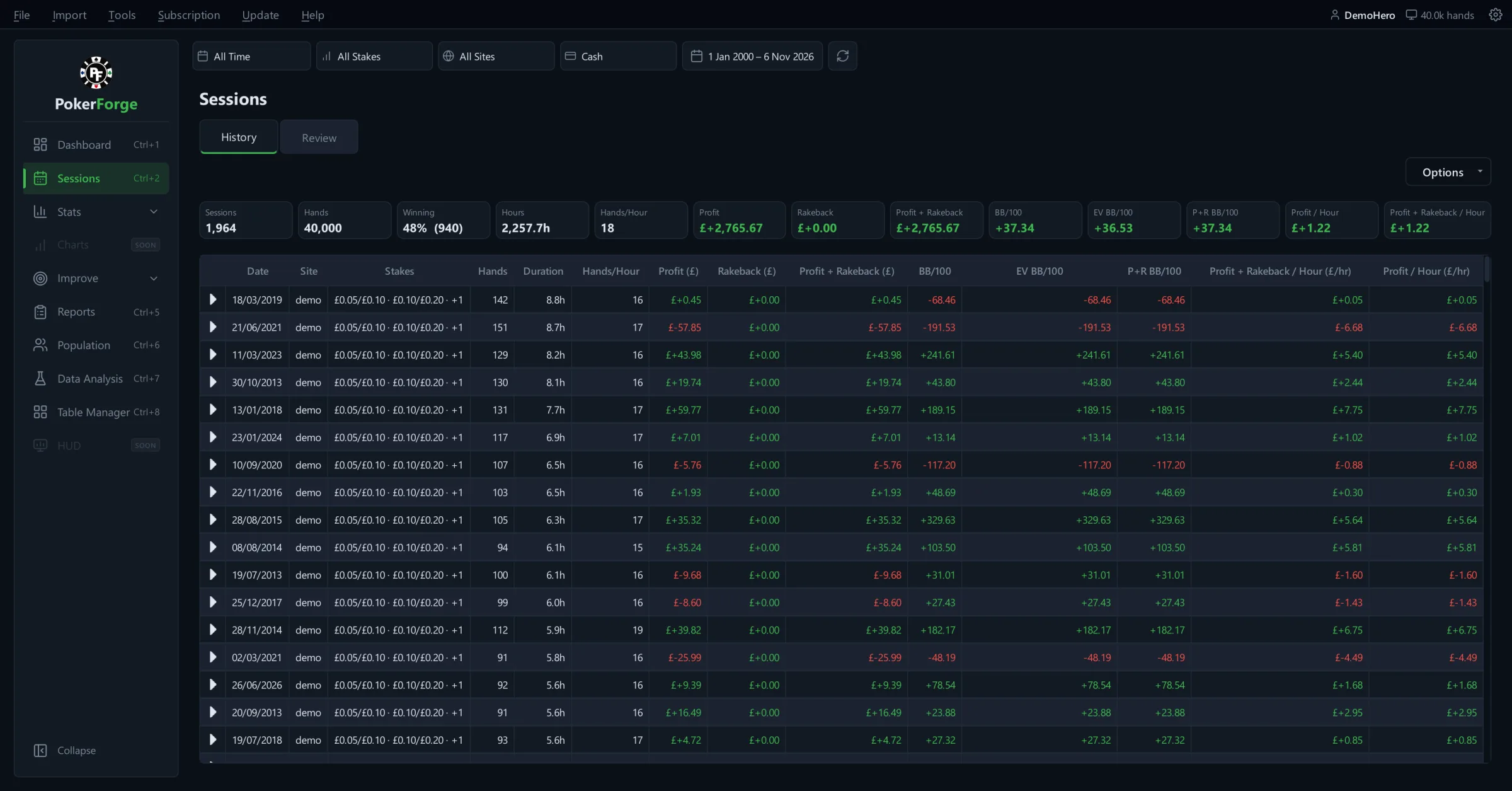
Every session in one table
Hands, duration, hands per hour, profit, rakeback, BB/100 and EV for each session, with the totals for the period across the top. Hover over a figure to see how many hands it covers.
See it in the tour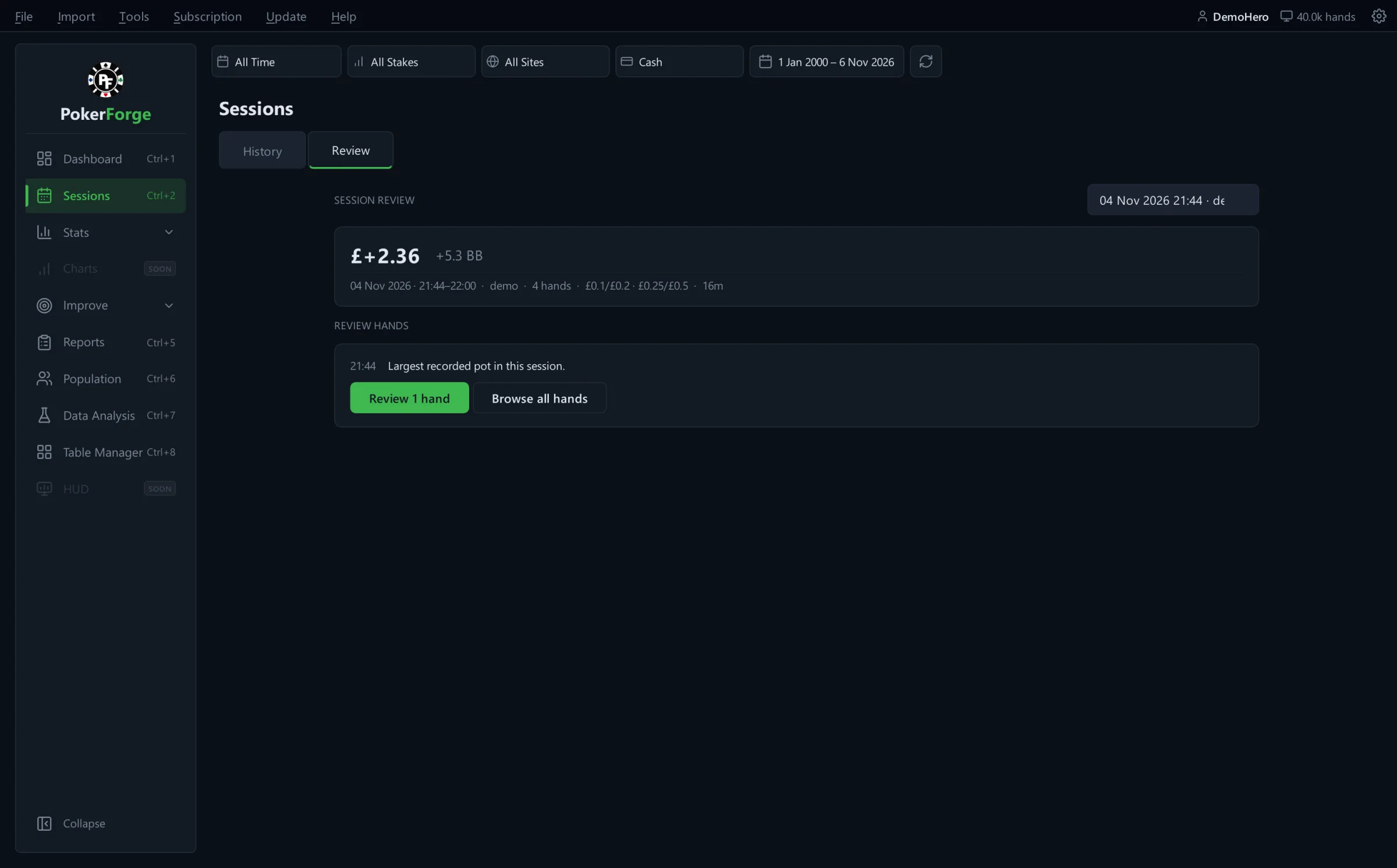
Sessions › Review
Session Review picks the hands to look at
For each session, a short list of hands worth reviewing, each with the reason it was picked: your biggest pots, and examples of the leak you're working on in Focus.
See it in the tour2Analyse
Find where it came from.
Break a result down by seat, by spot and by opponent. Every number opens the hands behind it.
Stats
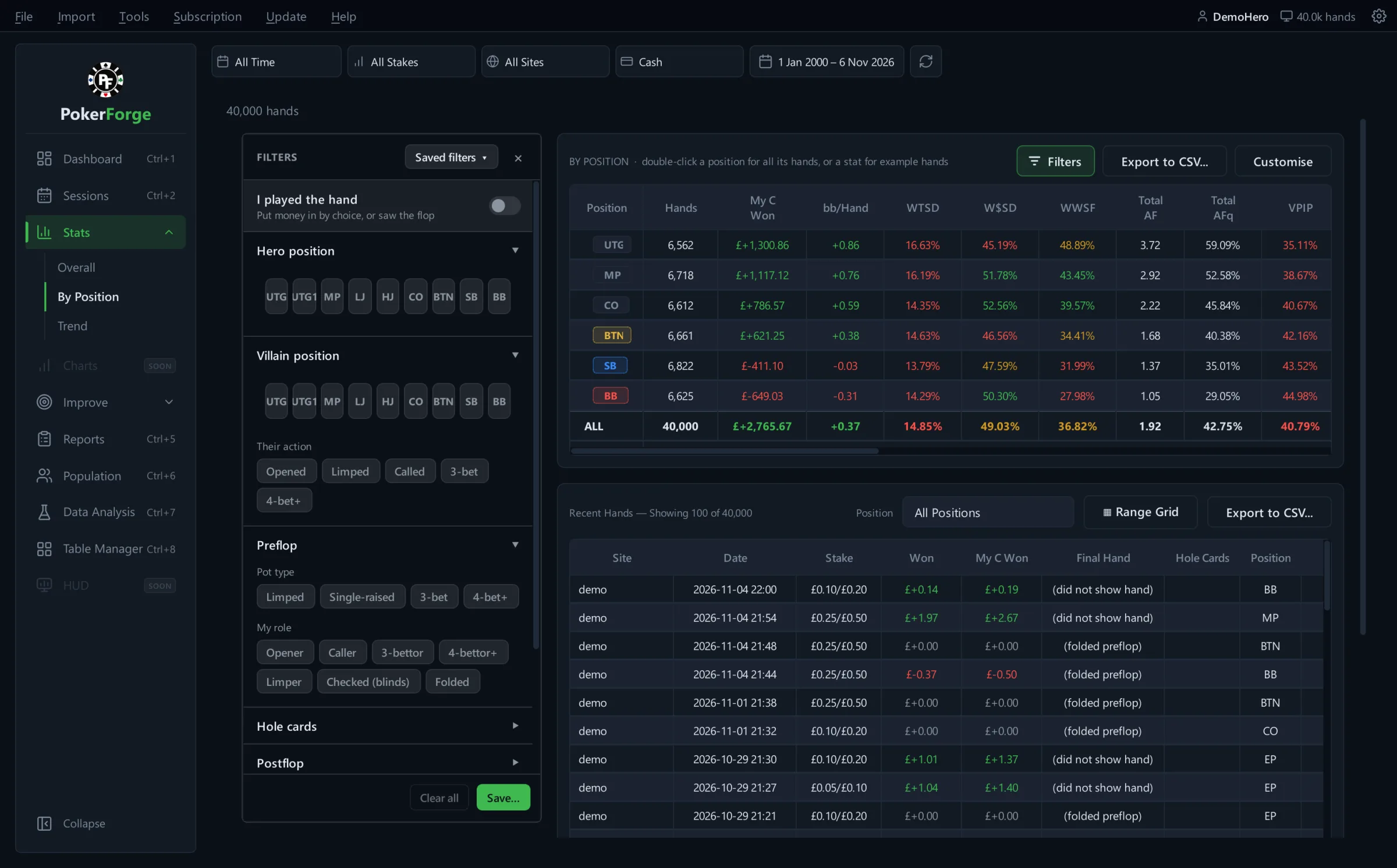
Overall, by position and over time
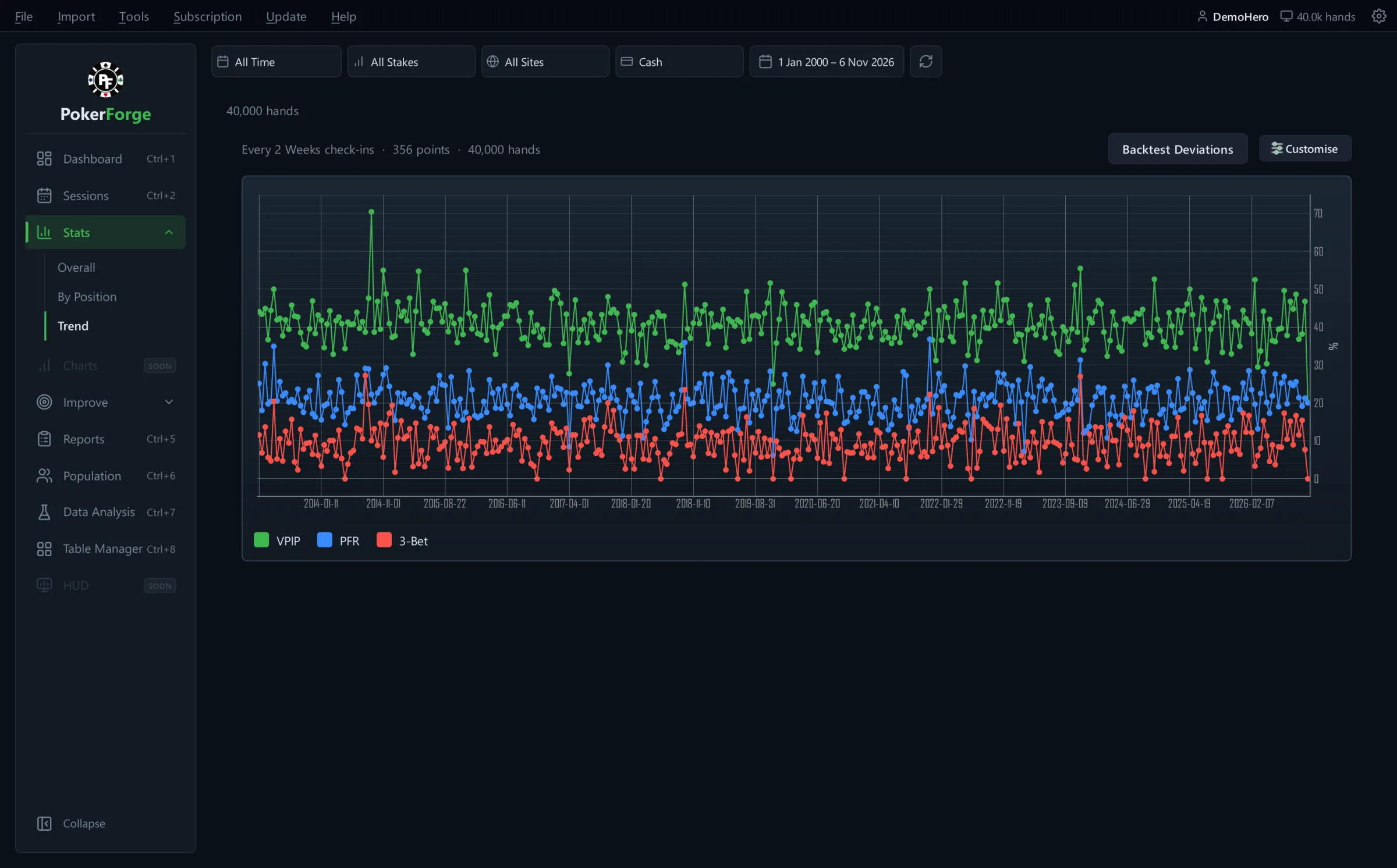
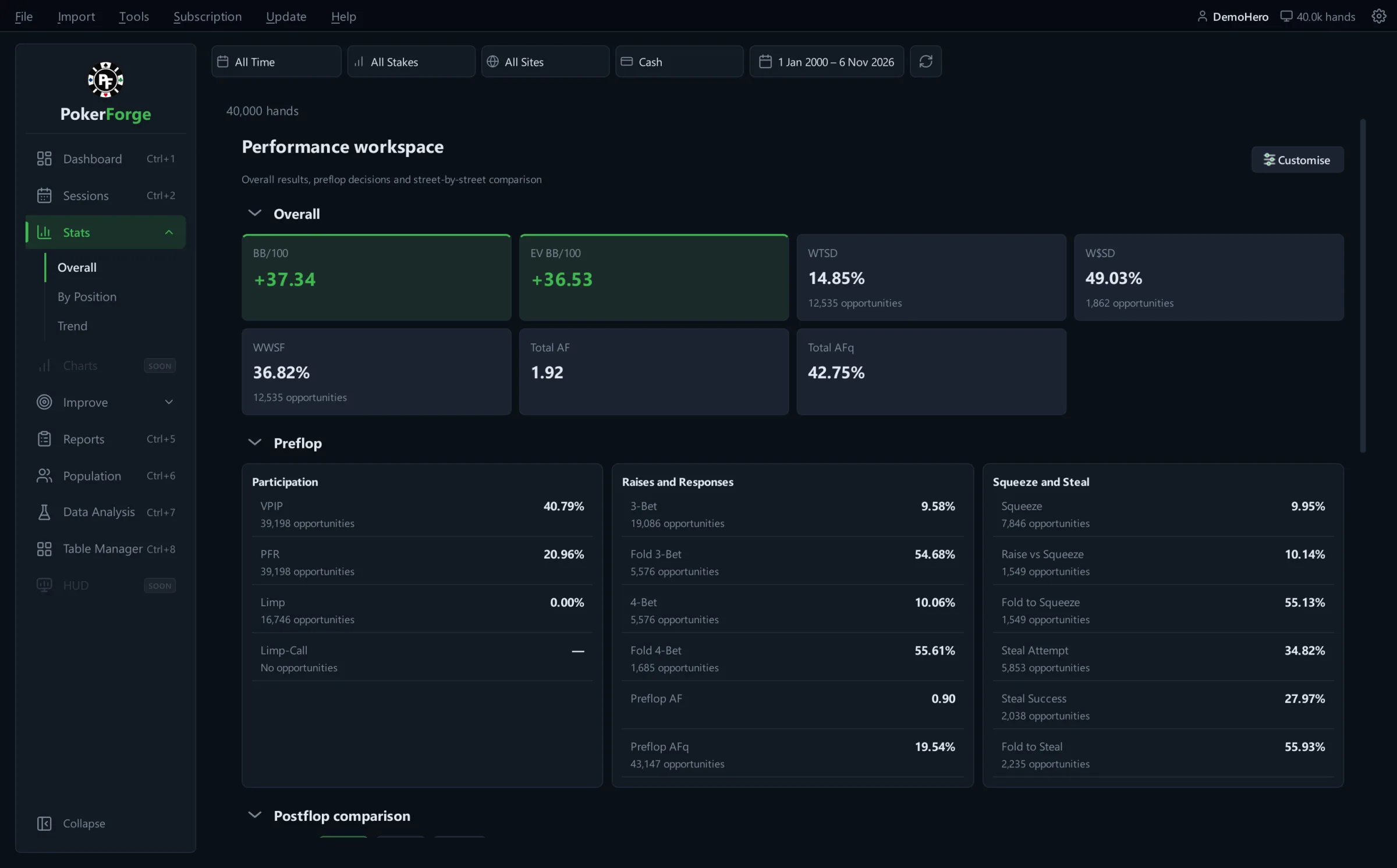
An Overall workspace for results, preflop decisions and a street-by-street comparison. By Position puts every seat side by side, with a filter panel and the hands themselves underneath. Trend plots your stats check-in by check-in.
- Filter by hero position, villain position, their action, pot type and your role
- Double-click a position for its hands, or a stat for example hands
- Choose your columns and export to CSV
Reports
One spot, every time it came up
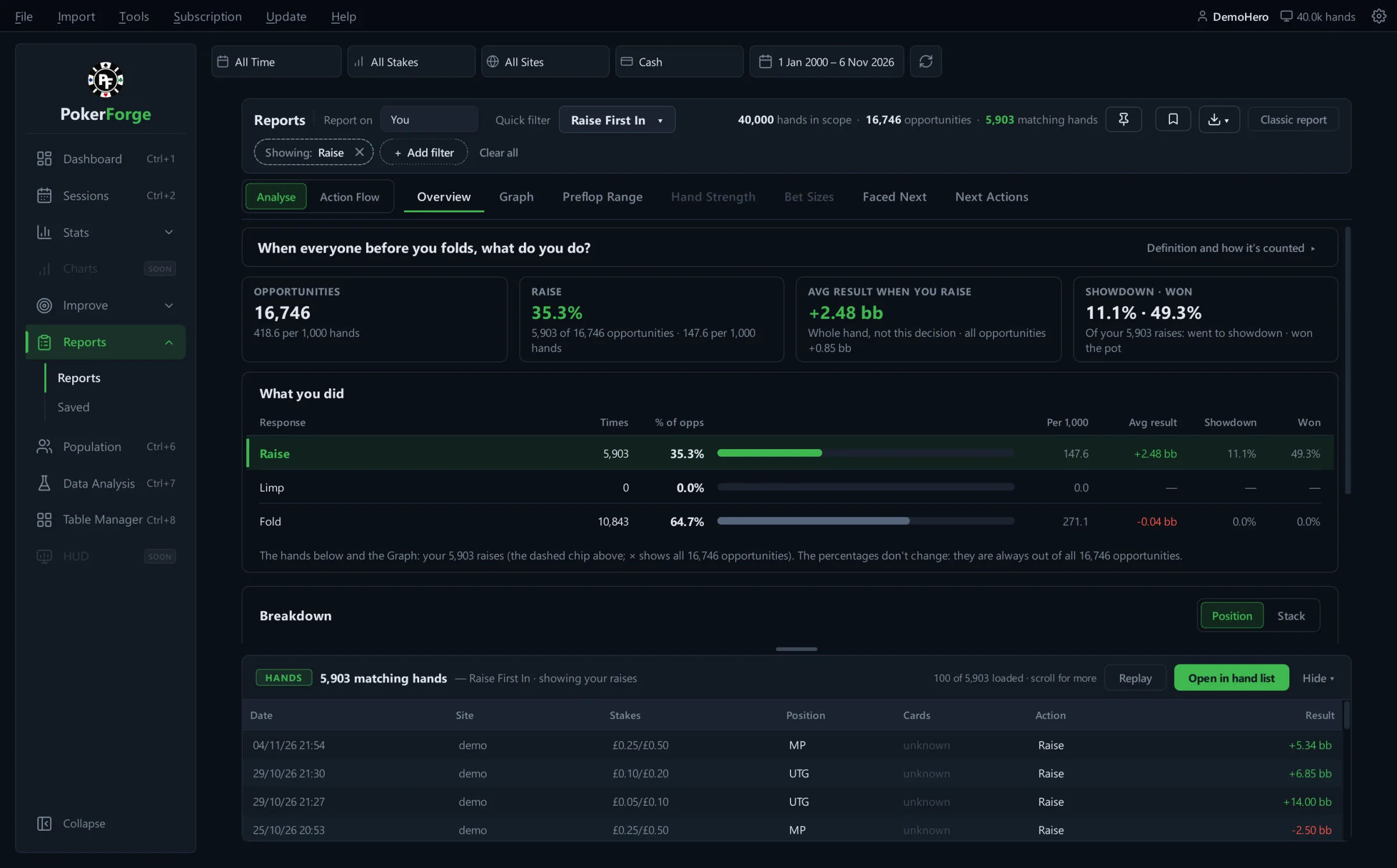
What you actually do in a spot, with the hands behind every number. Pick a spot with a quick filter or build your own with filters. Every percentage is out of all the times the spot happened, so nothing hides behind a small denominator.
- Overview, Graph, Preflop Range, Faced Next and Next Actions
- The Action Flow, to follow a line street by street
- Breakdowns by position and stack
- Save, pin to compare, and export
The redesigned Reports shown here comes in the next update. 1.0.0-beta.10 has the earlier Reports page, with raise first in, facing an open, squeeze, facing a 3-bet and flop c-bet spots.
See it in the tour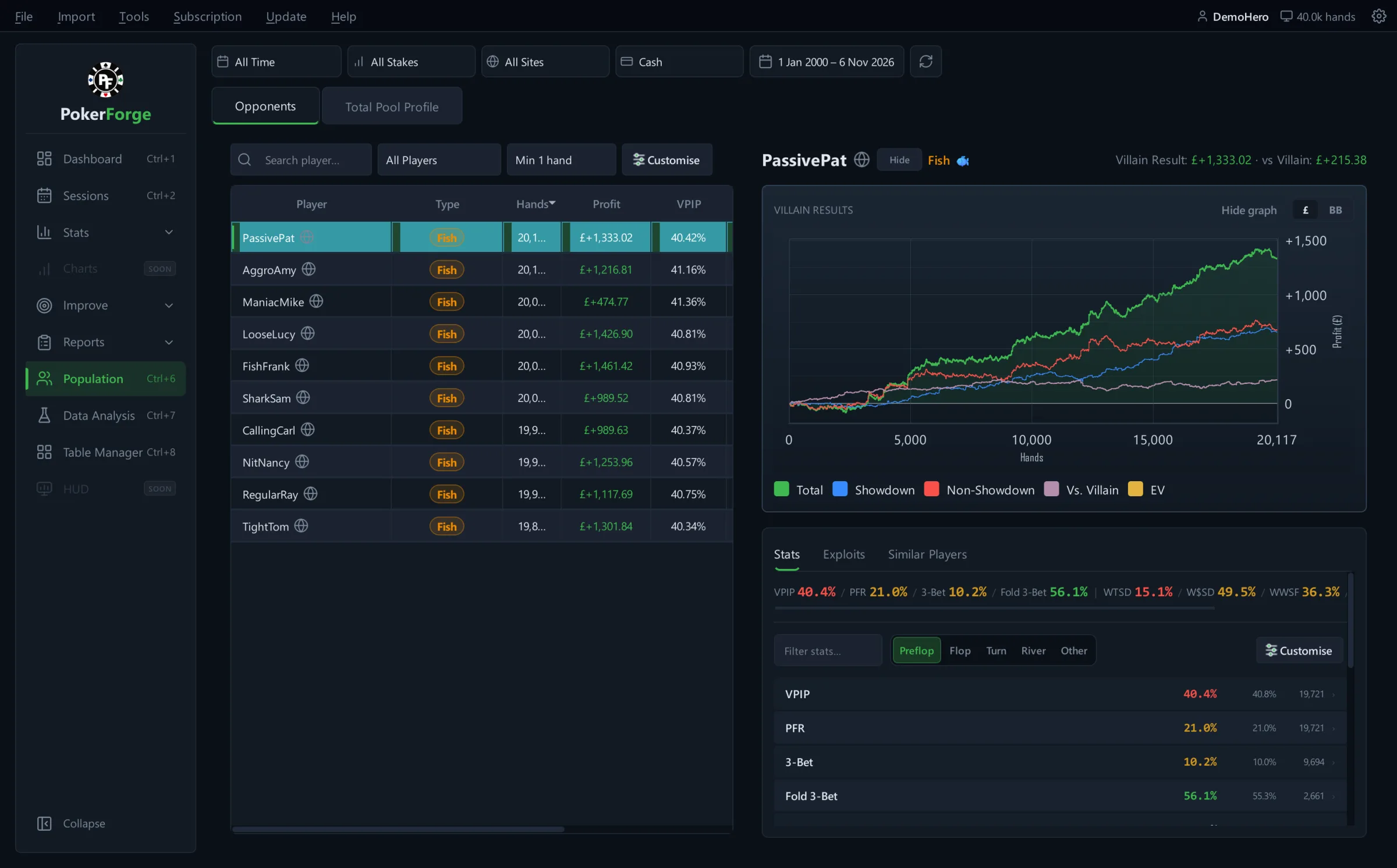
Population
Opponents
Every opponent you've played, with your results against them, their own results graph, an automatic player type and exploit ideas you can open to see the hands behind them.
- Automatic player types, from rules you can adjust in Settings
- Similar players, so a read on one carries over
- Opponent profiles need PokerStars or iPoker hands: other rooms anonymise names
Data Analysis
Data Analysis looks for betting lines where your opponents' showdowns show a consistent pattern, and only reports the ones that pass its sample and model checks. With too few showdowns it says so rather than guessing. Generated demo hands don't produce findings, so it isn't pictured here.
3Review
Go to the hands.
A number is only a starting point. Open the hands behind it, step through them, and share the ones worth talking about.
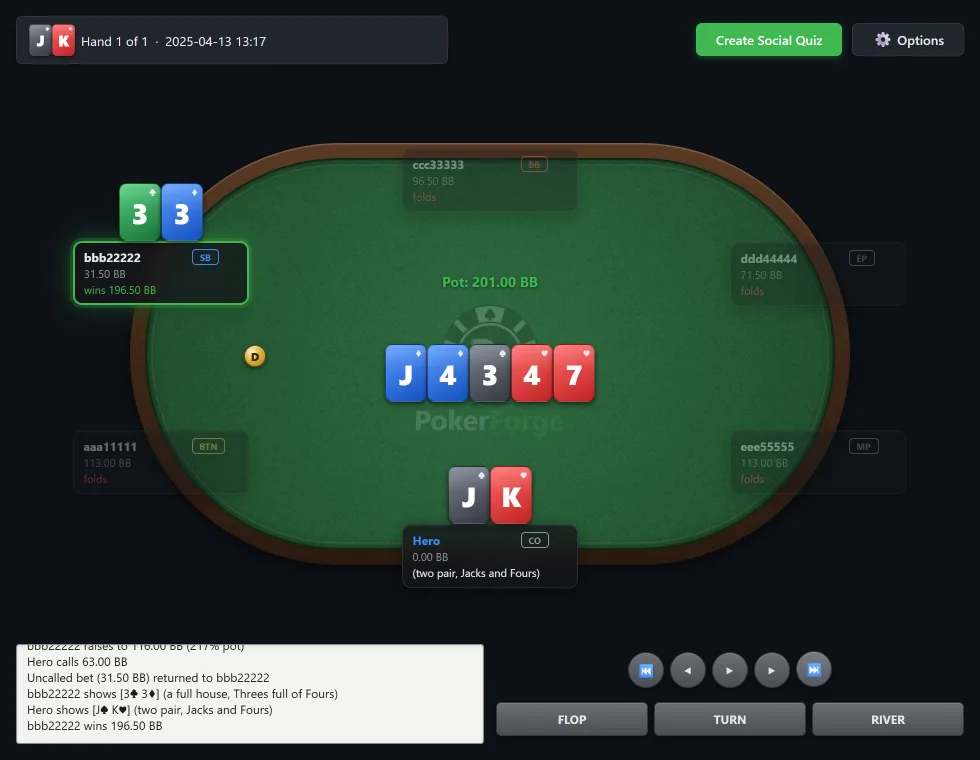
Hand Replayer
Step through any hand
Street by street, with the action log alongside, chips shown in big blinds and an option to hide player names. Replaying from a hand list keeps the list's order, so Space moves to the next hand.
- Copy the hand to your clipboard
- Hand Details: positions, showdown cards and a results summary, to copy or export
- Social Quiz: turn a decision into a shareable quiz image
Hand lists
The exact hands, not a sample
Every list can be filtered, sorted by any column and opened straight in the replayer. Each filter option shows how many hands it matches before you apply it.
- Right-click a hand to replay it, replay all, replay from here, view details or copy the hand history
- Save filters you use often
- Large lists open at once and fill in as they load
4Improve
Work on the spot.
Compare your play with a solver where one applies, pick a leak to work on, and see whether your new hands show it improving.
Range Grid: your preflop play next to the solver
For a preflop spot, the 13 by 13 grid shows what you actually did beside a 6-max, 100bb solver range for the same spot. Open it from the Range Grid button on Stats › By Position. It needs your own hole cards, which generated demo hands don't have, so it isn't pictured here.
Leaks
Your Leaks lists certified findings: spots where your decisions differ from a supported reference, ranked by how far your frequency is from it, then by sample size. Explore lets you browse exact situations.
Certified coverage is limited in this release, and PokerForge says so rather than substituting a guess. Broader legacy ranges stay available, labelled as non-certified.
Focus and Train This Leak
Focus shows the leaks most worth your time. Choose Work on this and PokerForge records where you are and sets a target, then checks your new hands and tells you whether you're improving, have fixed it, or have slipped back.
Train This Leak runs a 12-decision practice session from your own hands. It currently covers one leak type: folding too much facing an open, 6-max cash at 100bb. Tournaments aren't included in Focus.
Leaks and Focus work from your own hands. Generated demo hands give them nothing to find, so they're described rather than pictured.
5At the tables
Keep your tables in order.
Table Manager tiles and stacks your poker tables across sites, so every session starts with the same layout.
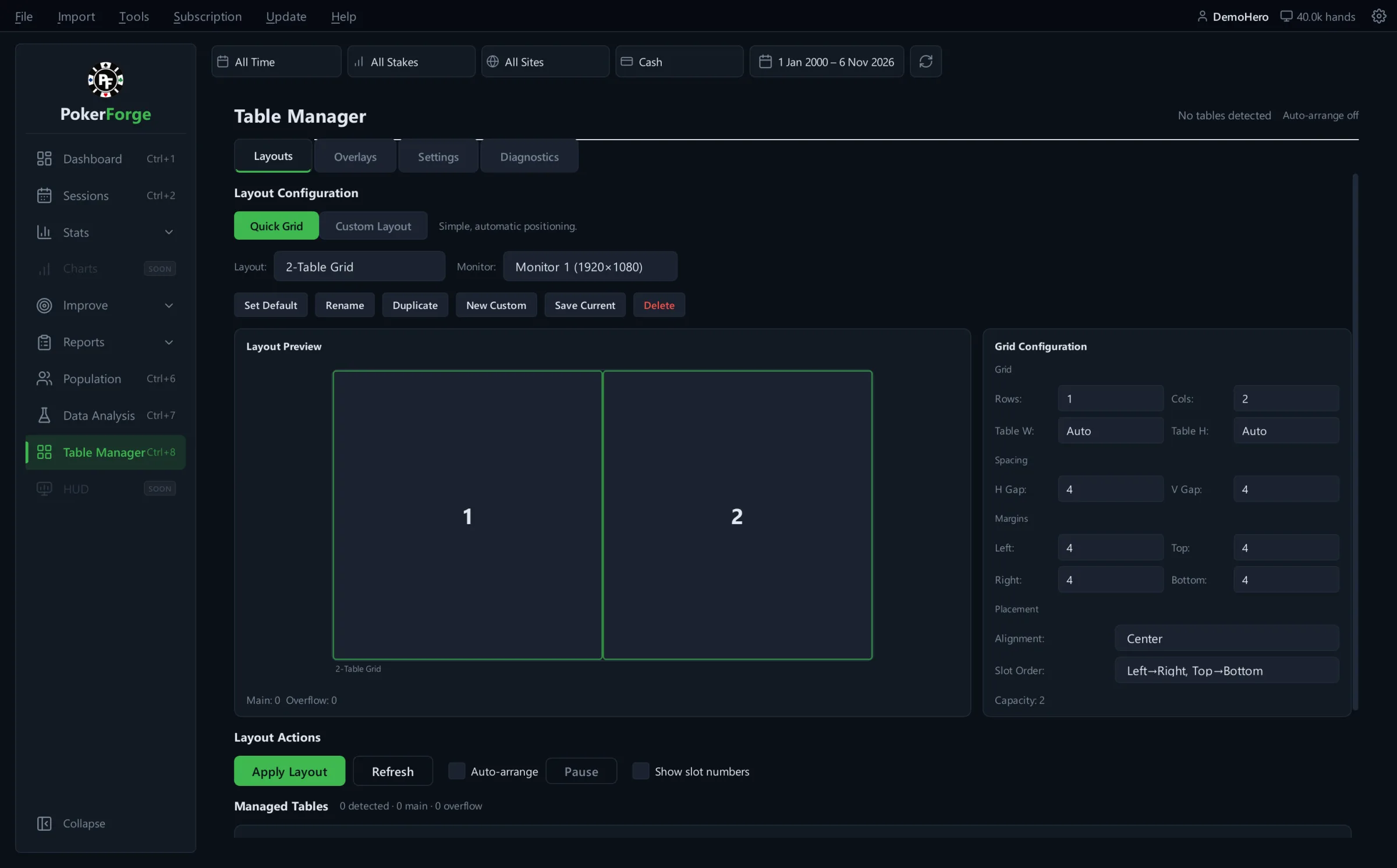
Table Manager
Saved layouts for every monitor
- Quick grids or custom layouts, with spacing, margins and placement you control
- Tables keep stable positions as they open and close
- Auto-arrange as tables open, or apply a layout yourself
- Global hotkeys to apply a layout, switch layouts, pause and move between tables
The Overlays tab previews where overlays will sit. Live overlays on the tables, and a HUD, are not part of this release.
See it with your own hands.
Everything above runs on your PC, on the hand histories you already have. Free during the beta.